Playing as a sub
There are two different ways you can end up subbing for a team. A coach who already knows you — because you’ve shared a roster with them before — can add you as a sub directly, no opt-in required. The other way is opting into the sub pool: a per-sport setting on your profile that makes you discoverable to any coach in your league who needs an extra player, even ones you’ve never played for.
Who can do this
Section titled “Who can do this”Anyone with an account. You opt in per sport — being available to sub for softball doesn’t make you available for kickball unless you turn that on too.
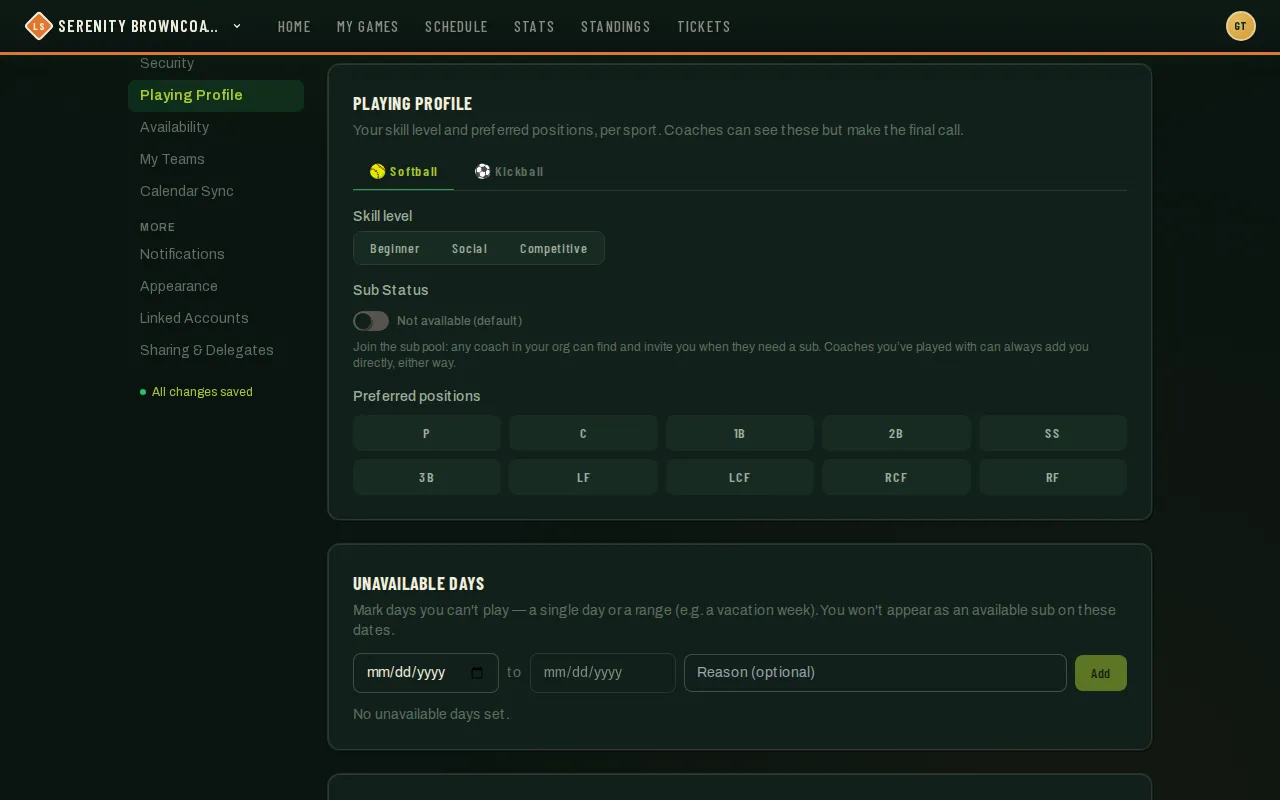
- Go to Profile → Playing Profile, pick the sport’s tab, and flip on Sub Status. It’s off by default — nothing makes you visible in the pool until you explicitly turn it on.
- Once it’s on, a row of season boxes appears — seasons you already play in default to on; toggle others open or closed as you like. Seasons for a sport you don’t have a tab for show up under an “Other sports” group.
- When a coach wants to invite you to a specific game, you’ll get an email with Accept and Decline links, and the same invite shows up in your in-app Notifications — tap the bell icon in the top nav — with its own Accept/Decline buttons. Nothing happens until you respond — accepting is what actually adds you to that game’s roster. (This invite doesn’t appear on your dashboard — check the bell or your email for it.)
- If you’d rather not be found on some dates, mark them under Availability on your profile — see Profile & account settings.
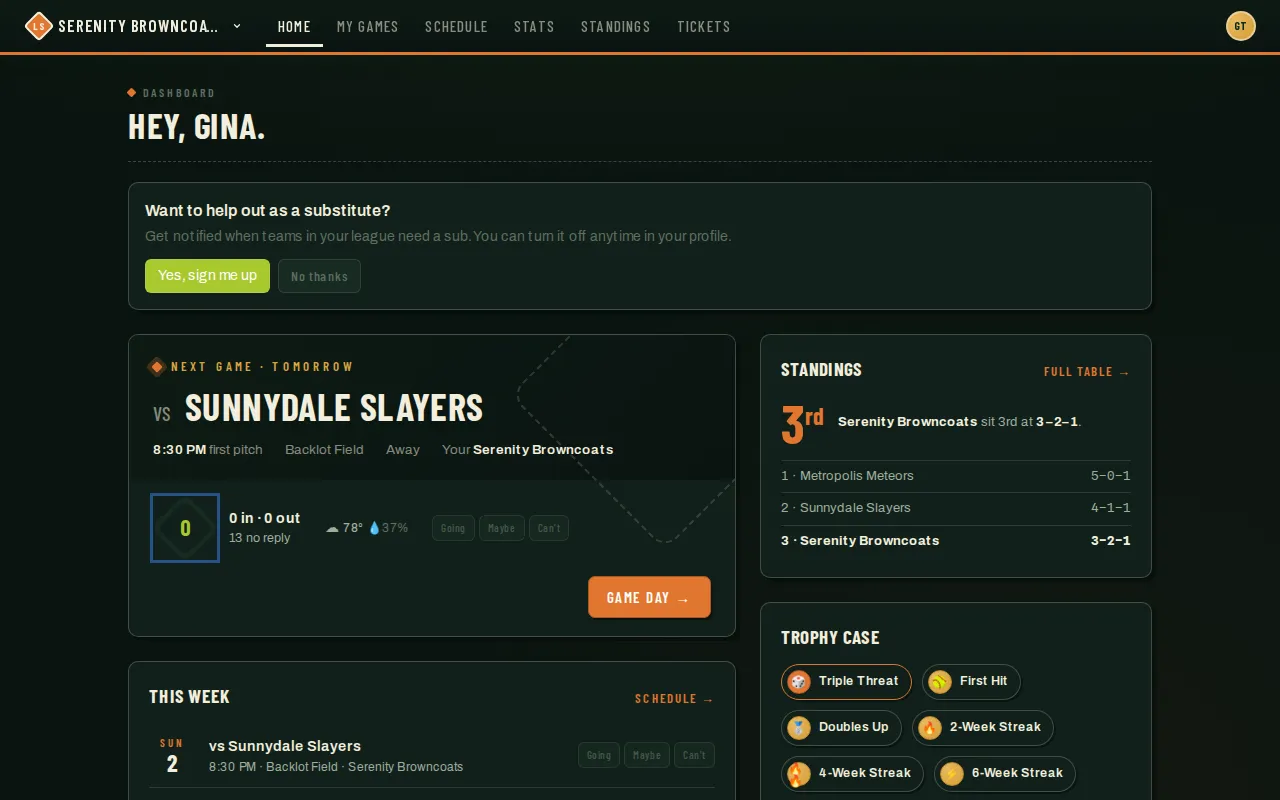
Your dashboard may also nudge you to opt in to the pool in the first place — this is just the sign-up prompt, not a specific game invite:
Good to know
Section titled “Good to know”- Sub Status only governs the league-wide pool. A coach you’ve already played alongside can still add you directly as a sub regardless of this setting — that’s their call, not gated by your opt-in.
- Tapping No thanks on the dashboard prompt dismisses it for good; you can still turn Sub Status on yourself from your profile whenever you want.
- As a sub, you only see the specific games you’ve been added to — not a full team schedule, and you won’t show up in the team switcher until you hold another role too. Those games appear on My Games alongside your own teams’ schedule, labeled with the team you’re subbing for, and on your dashboard and calendar feed.
- An invite is never automatic placement — you always have to accept it before you’re on the roster for that game.