Run a tournament
Tournaments run alongside your regular season on the same scoring and lineup machinery — a bracket match is just a game with a seed attached. This covers the whole lifecycle: creating the bracket, the three ways teams can get into it, and how a confirmed score advances the winner to the next round on its own.
Who can do this
Section titled “Who can do this”Site admins and organization admins.
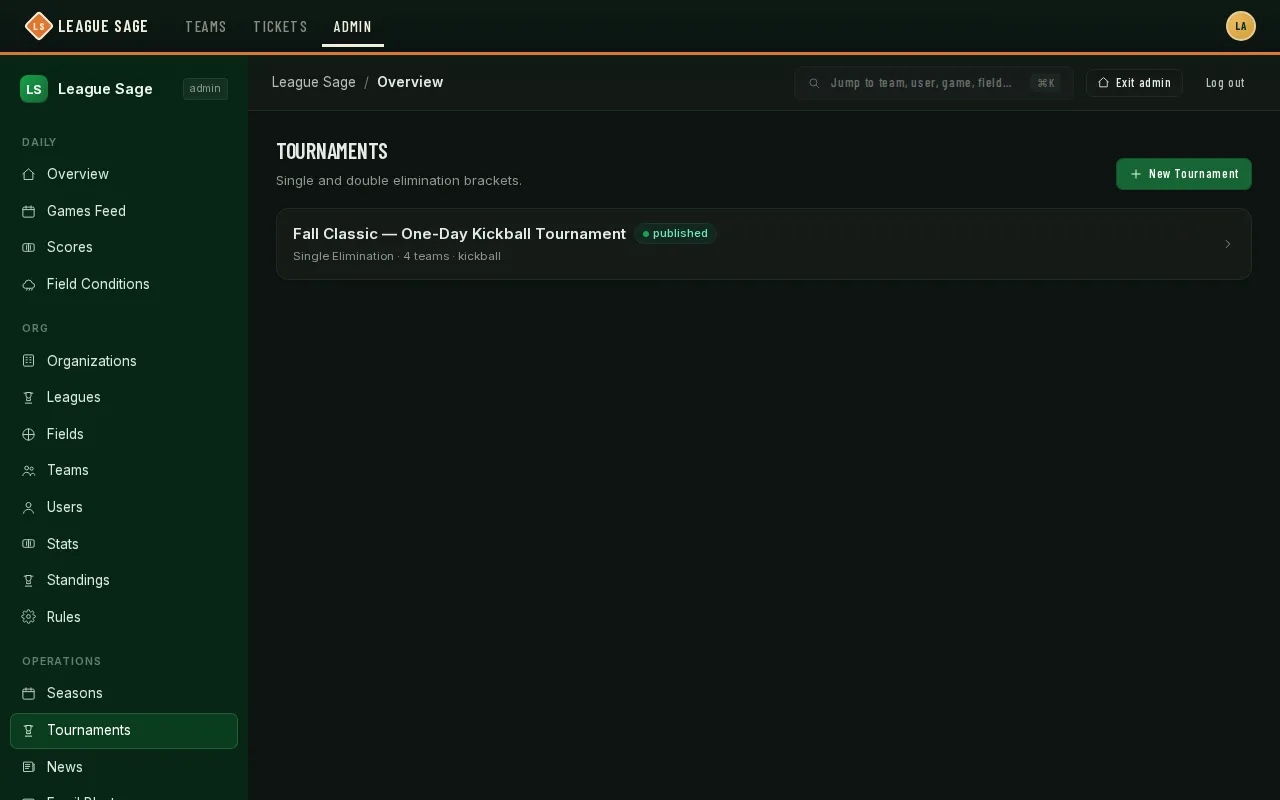
- Open Organization → Seasons → Tournaments in the admin sidebar and click + New Tournament. Give it a name, pick the organization, sport, and format (single or double elimination — double elim wants 4–32 teams; single elim wants at least 3), and optionally attach it to a season (this unlocks auto-fill scheduling later).
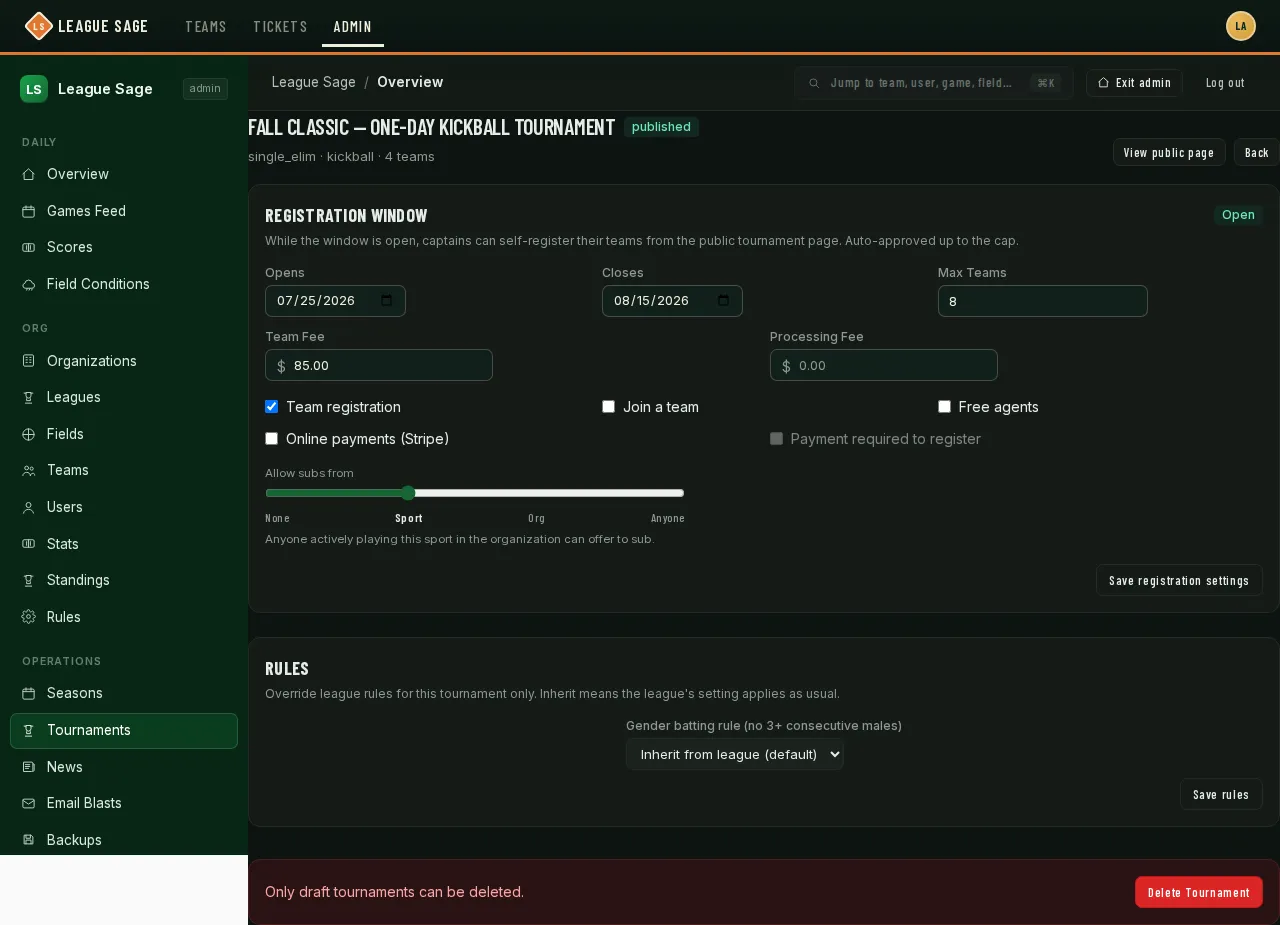
- While the tournament is still in Draft, decide how teams get in. Three registration types toggle independently, so mix and match:
- Team registration (on by default) — a captain self-registers an existing team, or registers a brand-new team on the spot, from the public tournament page.
- Join a team — a player without a team requests to join one that’s already registered; that team’s captain or coach approves or rejects the request.
- Free agents — a player without a team joins an unassigned pool instead of naming one. You resolve the pool later, either by hand-assigning individuals to specific teams or by running the draft (next step). Each type can carry its own fee, collected through the same online-payment flow as season registration, and you can require payment before a registration counts. A tournament can also carry its own attached waiver documents — pick them on the tournament’s admin page — and no team, join-a-team or free-agent registration commits until the registrant has signed each one (see Waivers).
- If Free agents is on, use the Draft teams card once enough people are in the pool: enter how many teams to create and click Draft teams. The draft is random but gender-balanced — it deals the pool out so every new team lands within one player of the same head count and the same women/men split. Drafted teams are brand-new and league-less; the tournament is their only affiliation. It’s re-runnable — draft again later and only the still-unassigned pool moves, so teams from an earlier run are left alone.
- Still in Draft: use Seed Teams to set the bracket order (drag to reorder — the top seed plays the lowest seed in round 1), then Generate Bracket once you have enough teams.
- Click Publish to make the tournament and its bracket visible on the public tournament page — this is also when self-registration, if you left a window open, becomes visible to players.
- Schedule each match from the bracket view: pick a date, time, field, and which side is home. If only one side of a match is decided yet (the other is still waiting on an earlier round), you can schedule it anyway against a “Winner of A/B” placeholder — the schedule fills in automatically the moment that other match finishes. And a match where neither side is decided yet (say, tonight’s championship while the semifinals are still unplayed) can be pre-scheduled: every team that could still reach that spot gets a provisional game on its schedule, so each coach can collect RSVPs and build a lineup ahead of time instead of scrambling between games. When the earlier rounds finish, the winners’ provisional games become the real matchup — lineups intact — and everyone else’s quietly disappear.
- From here, scoring a match is identical to a regular game. The moment both sides agree on a final score (or you force-confirm it), the winner is written into the next round and, for double elimination, the loser drops into the losers bracket — no separate “advance the bracket” step.
- A tied tournament game needs a winner before it can advance — Game Mode has an + Add Inning action right on the live scoring screen for exactly this.
Pool play (group stage)
Section titled “Pool play (group stage)”Alongside single and double elimination, there’s a third format: pools then a bracket. Teams play a round-robin inside a small pool first, then the top finishers cross over into a single-elimination knockout — the “pool play in the morning, bracket in the afternoon” shape most rec tournaments already run.
- Pick the format when you create the tournament. On the New Tournament page, choose Group + Single Elim from the Format dropdown alongside single and double elimination. Everything from seeding onward then works through the normal admin screens.
- Seed teams as usual, then instead of clicking straight to Generate Bracket, you’ll first pick a pool count — 2, 4, or 8 pools (whichever counts fit how many teams you’ve seeded; the picker only offers the ones that work). That’s a deliberate restriction, not a temporary limit — a pool count outside {2, 4, 8} can’t cross-seed cleanly into a knockout bracket, so it’s simply not offered.
- Seeding decides the pools, snake-style. Your #1 seed goes to Pool A, #2 to Pool B, and so on across all the pools, then it wraps back the other direction (so with 4 pools, seed 5 lands back in Pool A, seed 6 in Pool B) — the same zig-zag a fantasy draft uses, so pool strength stays balanced instead of stacking your best teams into one pool.
- Every team in a pool plays every other team in that pool once. Once a pool’s round robin is completely finished, its final standings lock in — ranked by record, then head-to-head among any tied teams, then run differential, then runs scored, then original seed as a last resort.
- The top 2 from each pool advance and cross-seed into the bracket. Pools are paired up, and within each pair the winner of one plays the runner-up of the other (never the two teams from the same pool meeting in round 1). Once a pool finishes, its slot in the bracket fills in automatically — no separate “advance the bracket” step, same as any other tournament result.
- What players see: the tournament page shows a standings table for every pool — rank, win-loss record, run differential, runs scored — sitting above the regular bracket view, updating live as pool games get finalized. Bracket slots that are still waiting on a pool show “Winner Pool A” or “Runner-up Pool B” instead of a blank TBD, so everyone can see how the path to the knockout stage is shaping up before it’s decided. Reopening a finalized pool game works the same way reopening any tournament game does — it’s refused if the bracket has already moved on because of it, so you can’t accidentally invalidate an advance that already happened.
Good to know
Section titled “Good to know”- Seeding and bracket generation only happen while a tournament is still Draft — once you publish, that card is replaced by the live bracket. If you need to re-seed after generating, delete the bracket first — that’s refused only once a linked game has actually been finalized (confirmed or contested); a game that’s already in progress but not yet finalized gets deleted right along with the bracket, so double-check before you do it.
- Refunds on a tournament fee are full-refund only, whether it’s a team’s fee or an individual’s — there’s no partial-refund option.
- Partial refunds made in the Stripe Dashboard add together. Once the full fee is refunded, the payment is cleared and a pending individual registration becomes Withdrawn. A team stays in its bracket until an admin removes it. If a pending refund later fails, review any withdrawn registration before restoring its place.
- Reopening a finalized tournament game unwinds anything downstream it had already fed into (the mirror game it created, a solo-scheduled next match), but refuses if that downstream match has already started or finished.
- A tied score in a non-tournament game is fine to leave tied; a tournament match is the one context where the app pushes you toward Add Inning instead.
- Team registration, join-a-team, and free agents can all be on at once — a season-style captain can self-register a full team while a different player still requests to join someone else’s roster, and a third goes into the free-agent pool, all for the same tournament.
- Once the last match is confirmed, the tournament’s page (yours and the players’) shows the champion, the podium, and the full bracket with each match’s score and winner — read from whichever side you made home, so a match where the lower-seeded team hosted still credits the right winner. The Match log tab labels each round (Semifinal, Final, or Winners/Losers rounds for double elimination) and marks the championship game.