Your stats & badges
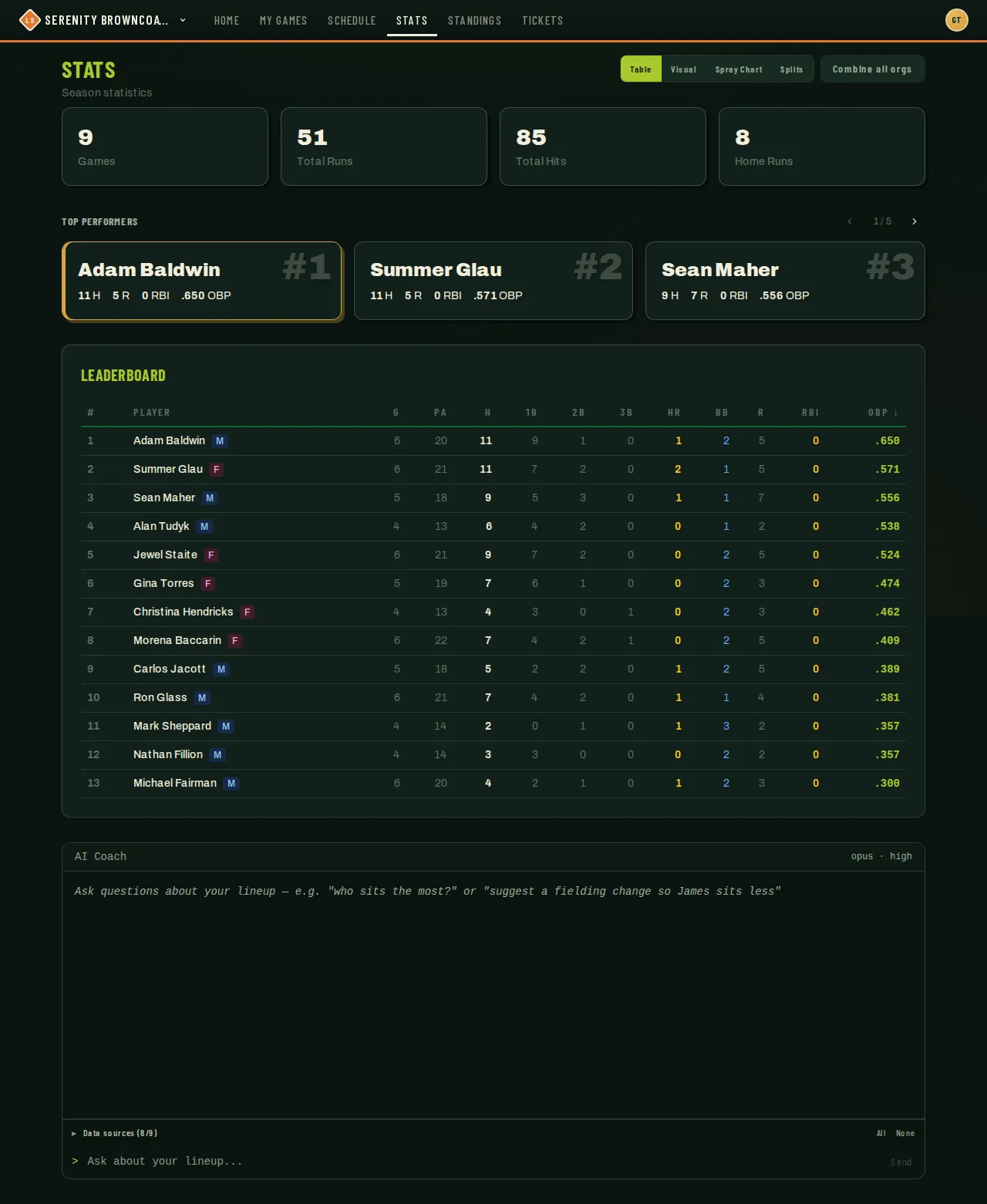
The Stats page covers your whole team’s season, and clicking into any player — including yourself — gets you a full personal breakdown. Alongside that, League Sage hands out badges automatically as you hit milestones, no admin action needed.
Who can do this
Section titled “Who can do this”Everyone can view team and player stats. There’s an AI Coach box at the bottom of the Stats page for asking questions about the numbers — that one’s for coaches and captains; players can see it, but questions sent from a player account won’t go through.
- Open Stats from the top of the page. The Table tab is the default: four season totals up top, a Top Performers spotlight, and a sortable leaderboard — click any column header to re-sort, click your own row to jump to your full breakdown.
- Switch to Visual for charts — hits/outs/walks over the season, an OBP ring chart, a hit-type breakdown per player, and player profile radar charts.
- Spray Chart plots where every recorded ball in play landed on the field. Hits are colored dots (singles, doubles, triples, home runs) and outs are hollow rings; the result chips above the field double as the legend and let you hide a result. Pick a player or opponent to narrow it, tap a ball to see who hit it and when, and switch to Zones to see what share of balls went to each part of the field. Zones split the field by direction (left to right) and by depth: in front of the pitcher, the infield dirt, shallow outfield and deep outfield. Tap a zone to see how many balls went there and how often they fell for hits, and use the Direction / Depth switch on the By zone card to total them either way.
- Splits breaks out situational hitting — with runners in scoring position, late innings, and left-on-base — once you’ve got enough plate appearances in that situation to make the numbers meaningful.
- Your badges live in the Trophy Case on your dashboard, not on the Stats page — see the screenshot on Your dashboard. They’re earned automatically: things like your first hit of a given type, a big single-game line, a lifetime milestone, or stringing together several weeks of games in a row.
Good to know
Section titled “Good to know”- One chart on the Stats and player pages (the plate-appearance donut) occasionally renders as a plain grey circle — that’s a known display quirk, not missing data.
- Badges are recalculated from your actual at-bats every time they’re shown, so if your league adjusts a badge’s rules later, your history is judged against the current rules automatically.
- No games played yet for a player? Every section just shows an empty state instead of an error.
- Coaches and captains get one extra tab on the Stats page, Playtime, that adds up games and innings per player — it’s their tool for keeping playing time fair, and it doesn’t show for player accounts.