Draft free agents
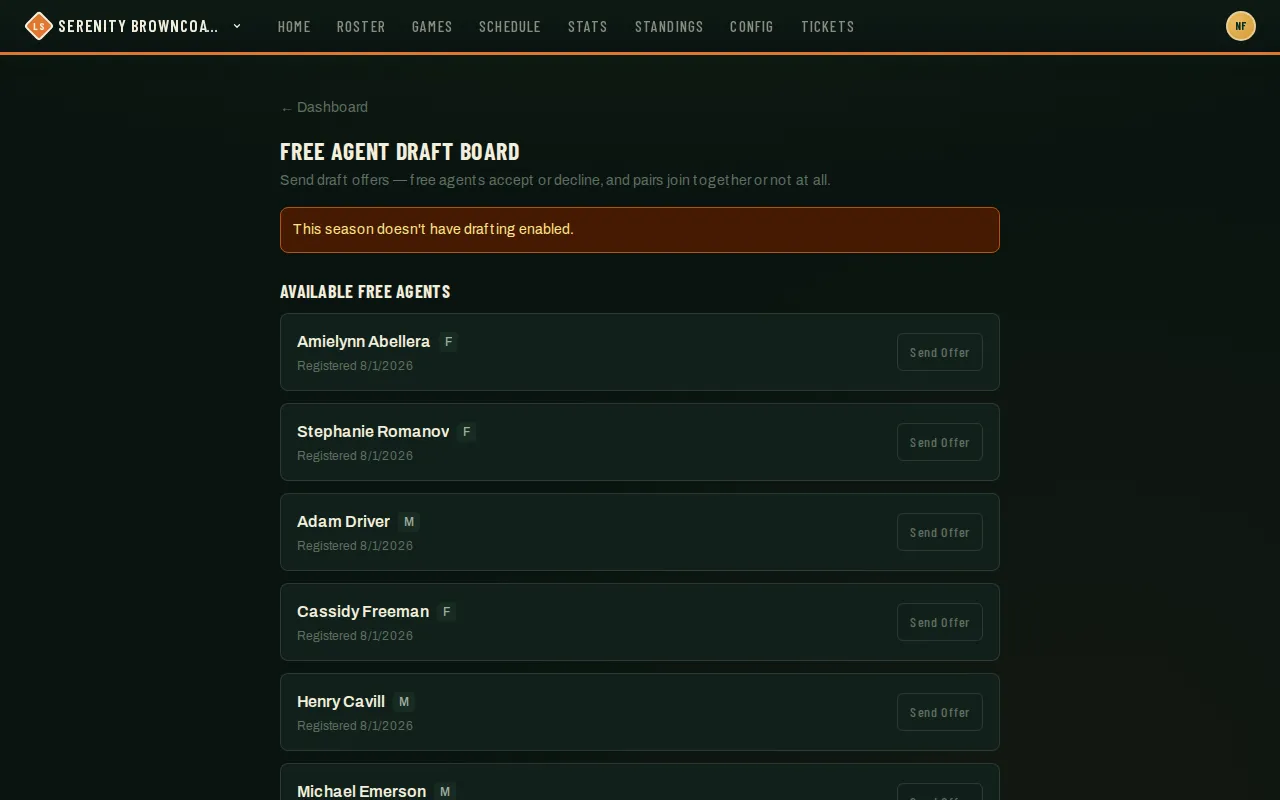
Some players register for a season as free agents instead of picking a team — they want to play, they just don’t have a squad yet. If your league has drafting turned on for that season, you can send them an offer to join your team. They have to accept before they’re actually on your roster — there’s no way to claim a free agent outright.
Who can do this
Section titled “Who can do this”Coaches and captains of a team in the season’s league. Whether drafting is on at all, and how many open roster spots you have to draft into, is set by your league admin per season — the board tells you plainly when drafting isn’t enabled, or when your roster is already at the limit.
- Open the Free Agent Draft Board for your season (linked from your dashboard’s team card when drafting is available, or from the season’s free-agent link).
- Browse Available free agents. Some come in a pair — two friends who both named each other when they registered, or who registered through a shared buddy link — marked with a “2 spots” chip; you can only offer to a pair as a pair.
- Click Send Offer. The free agent (and their buddy, if paired) gets a notification and an email with Accept/Decline — nothing changes on your roster until they respond.
- Track your outstanding offers under Your offers, with status (Pending / Accepted / Declined / Withdrawn / Drafted elsewhere) and, for a pair, how many of the two have accepted so far.
- Changed your mind, or found someone else? Withdraw a pending offer any time. Offers never expire on their own — they only resolve when the player responds or you pull it back.
Good to know
Section titled “Good to know”- A free agent has to accept — you can’t claim one outright. More than one team can have an open offer out to the same person at once; whichever offer they accept first wins, and every other pending offer on that person is automatically superseded.
- For a pair, both people have to accept before either joins your team. If either one declines, the whole offer dies — you’d send a fresh one if you still want the other person solo.
- If your season requires ID verification and a free agent hasn’t completed it yet, you’ll see an “ID needed” chip on their card. It’s informational only — it never blocks the offer or their acceptance; your league admin may follow up with them about it separately.
- If your season charges a fee and requires payment before joining, an unpaid free agent’s accept will politely fail and stay pending rather than silently disappearing — they (or your league admin) need to settle that first.
- League admins can also assign a free agent to a team directly, bypassing the offer/accept flow entirely — that’s an admin-only action, separate from what’s described here.
- Drafting isn’t the only way a free agent lands on your radar: if you’ve turned on “Open to free agents” for your team (in Team settings), free agents can browse your team and ask to join on their own. Those requests show up alongside anyone who asked to join at registration — not on this board — and you approve or decline them the same way. Sending a draft offer still works exactly as described above either way.