Your shop
If your organization’s public website runs on League Sage, it can have a shop. Buyers pay online by card; nothing ships — every order is picked up in person.
Who can do this
Section titled “Who can do this”Organization admins and site admins. Online payment needs your organization’s Stripe account connected (Settings → Payments); without it you can still record cash and Venmo sales.
-
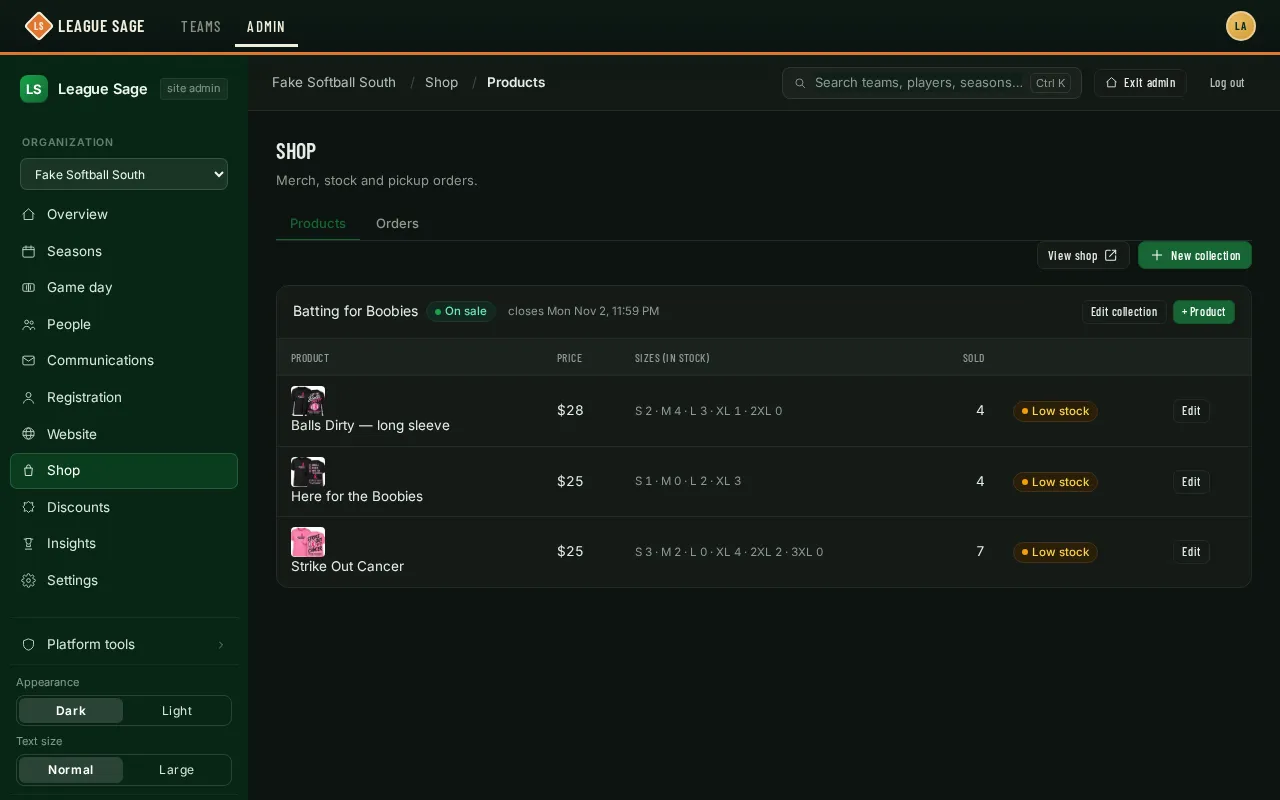
Open Organization → Shop.
-
On Products, choose New collection — a drop like “Batting for Boobies”. Give it a short blurb, a pickup note (“We’ll email you to set up pickup”), an optional Banner photo (shown across the top of the collection on your website’s Shop page), and when sales open and close. Set it to Published when it’s ready.
-
Choose + Product in the collection. Add a name, price, photos and sizes. Type how many you have of each size in In stock. Leave a size’s Price blank to sell it at the product price; if one size costs more, type that size’s full price, not the difference — for a $30 2XL on a $25 shirt, type 30.
-
Your website’s Shop page shows the collection while it’s on sale. Sold-out sizes are greyed out; a size with 3 or fewer left says Only N left, and a product with 3 or fewer in total shows Few left.
-
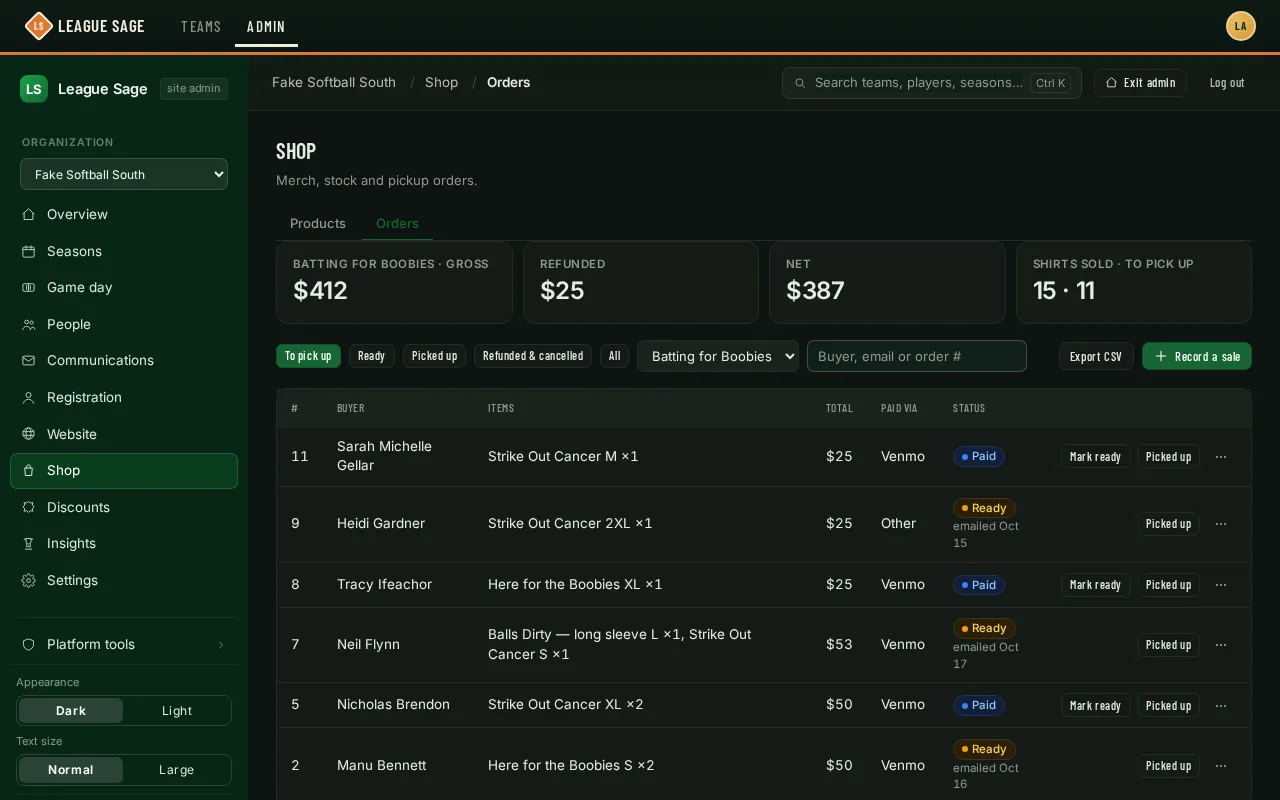
When orders come in, open Organization → Shop → Orders. Choose Mark ready when an order is bagged (tick Email the buyer that it’s ready to let them know), then Picked up when they collect it.
-
Sold a shirt at the field or by Venmo? Choose Record a sale so your stock stays right.
Good to know
Section titled “Good to know”- Paid orders take shirts off stock automatically. A checkout holds its sizes for about 30 minutes.
- Refund returns the whole order. Leave Return items to stock ticked if the shirts came back. A refund made in the Stripe Dashboard is recorded too — use Restock on the order if the shirts came back.
- An order marked Short was paid after its size ran out — refund it or find the shirt.
- Export CSV gives a pick list with one row per shirt (paid times are Eastern).
- The totals at the top of Orders show gross, refunded and net sales per collection — handy when a share of sales goes to a cause. Orders opens on the collection on sale now; pick another collection to see an earlier drop.