Your public registration portal
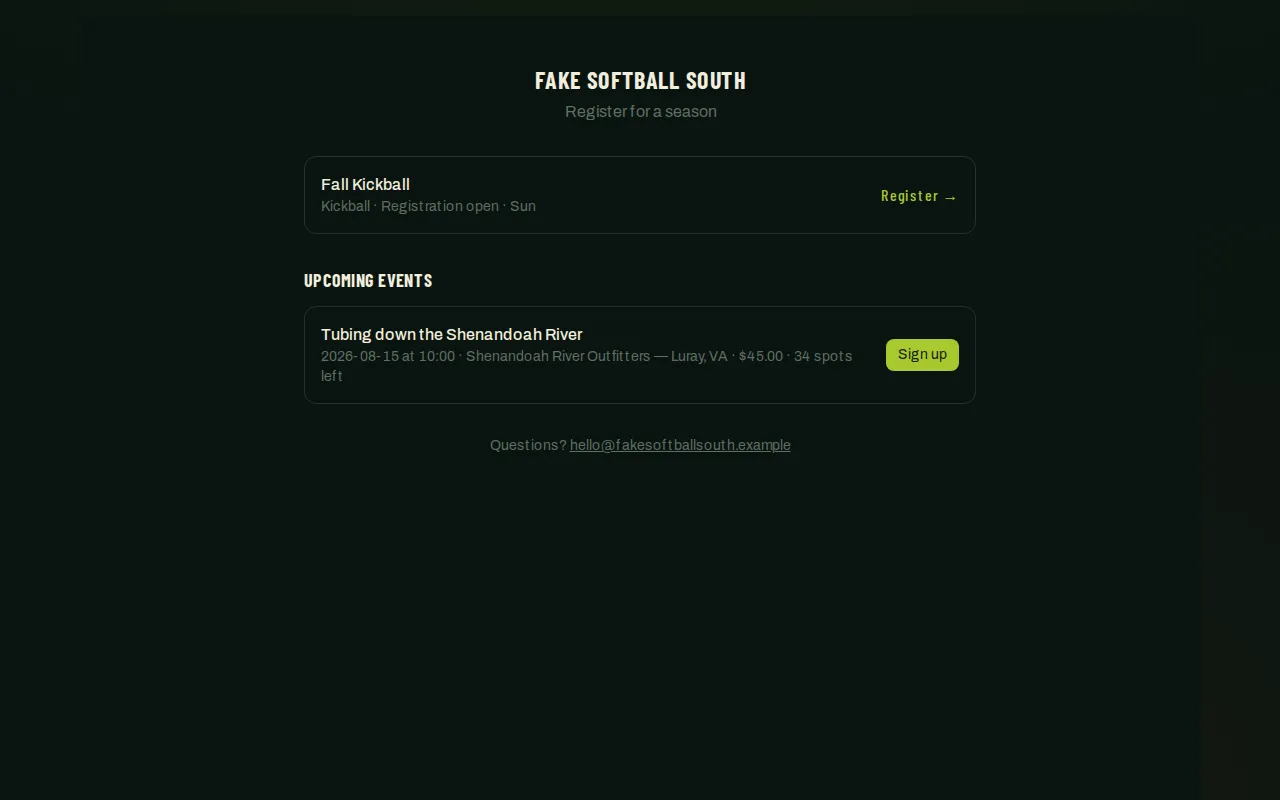
Every organization gets a public, branded signup page listing whatever seasons are currently open (or opening soon) for registration. It’s the page you share on social media, in a group chat, or link from your own website — no login required to view it.
Who can do this
Section titled “Who can do this”Anyone can view the portal — it’s public. Setting it up (the address, logo, and contact info) is an organization-admin task.
What players see
Section titled “What players see”- A card per actionable season — one that’s either open for registration or in the “coming soon” pre-registration stage. Seasons that are still a draft, already scheduling, published, or archived don’t show up here.
- A pre-registration season shows a short blurb you write and a “notify me” option; players who sign up get emailed automatically the moment you open registration.
- An open season expands right there on the page into Register a team and Register as a player options — no separate page to navigate to.
- If your organization also runs any one-off paid events (a social, a tournament day), those can appear below the seasons list too.
- A contact line at the bottom, if you’ve set one.
- Set your portal’s address: open Organization → Registration → Portal in the admin sidebar (or click Open on the Organizations list, then the Registration tab).
- Choose a portal slug — a short, URL-friendly name for your organization. This gives you a working public link immediately; no other setup is required for it to work.
- Optionally, add a custom domain (something like
register.yourleague.com) if you’d rather send people to your own web address. This needs your domain’s DNS pointed at League Sage in addition to the setting here — coordinate with whoever manages your domain before flipping this on. - Add a logo URL and a contact (an email address or a link) — both appear on the portal page itself.
- Save. The slug link works right away; a custom domain takes effect once its DNS is pointed correctly.
- From here, everything else — which seasons show up, what the pre-registration blurb says, whether registration is currently open — is controlled from each season’s own settings, not from this page.
Good to know
Section titled “Good to know”- The slug-based link always works, even if you never set up a custom domain — it’s the simplest way to get a real, shareable public URL.
- Only seasons in the pre-registration or registration stage appear on the portal. A season that’s still a draft, or one that’s already moved on to scheduling, won’t show up here even though it exists — see The season lifecycle.
- If nothing appears on your portal page, check that at least one season is in one of those two stages.