Create your account
Most leagues on League Sage let you sign up for a season straight from a public registration link — no invite needed. Registering for a season and creating your account happen together, in one short flow.
In a hurry? On the /signup page you can also tap Continue with Google — your account is created from your Google identity in one tap (in the iPhone app, Sign in with Apple does the same; the Android app offers Google). Add a username and password later from your profile if you want them.
Who can do this
Section titled “Who can do this”Anyone with a registration link (or the /register page) for a season that’s currently open. Registering as an individual player is open to anyone. Registering a whole team as captain requires being signed in — you’ll be offered a sign-in or account-creation step first if you aren’t.
- Open the registration link your league shared, or go to the registration page directly.
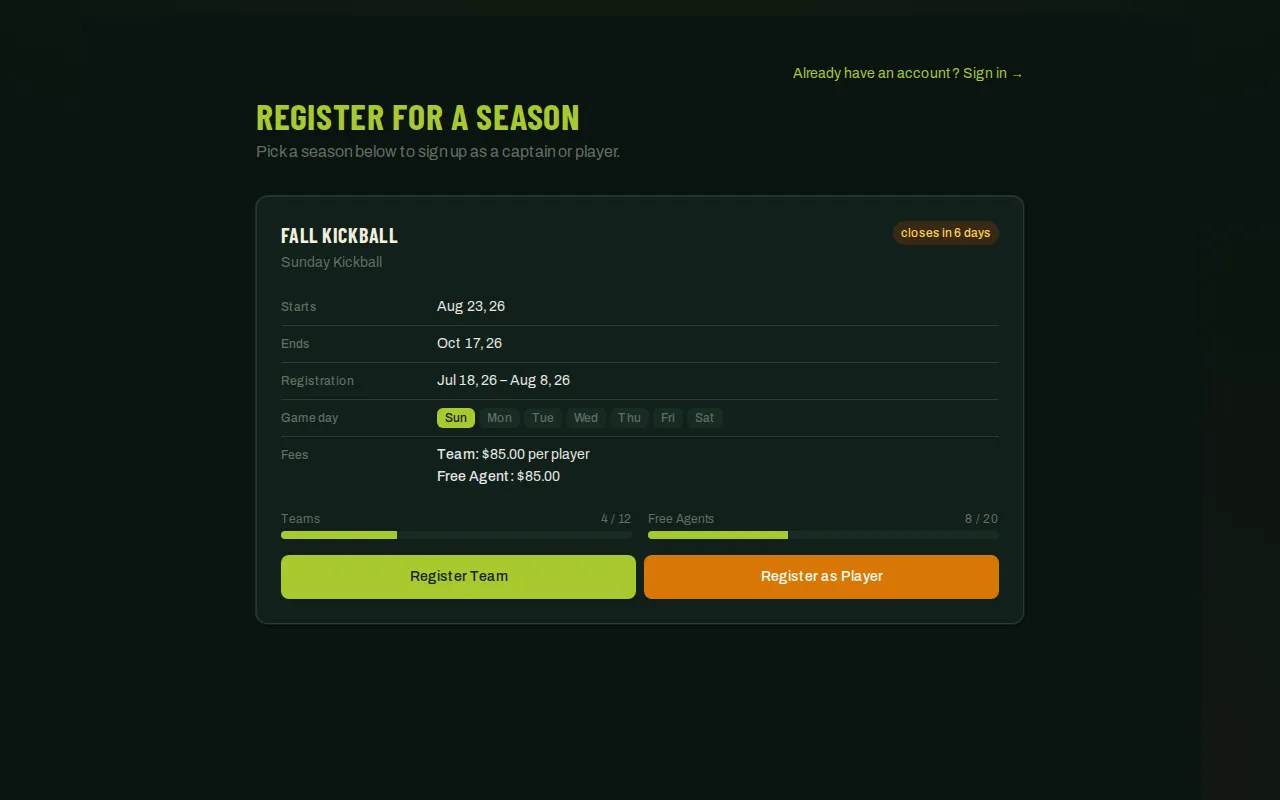
- Pick the season you want to join from the list of open seasons. Each one shows its dates, game day, fees, and how many team and free-agent spots are left.
- Choose Register as Player to join yourself, or Register Team if you’re organizing a team as captain.
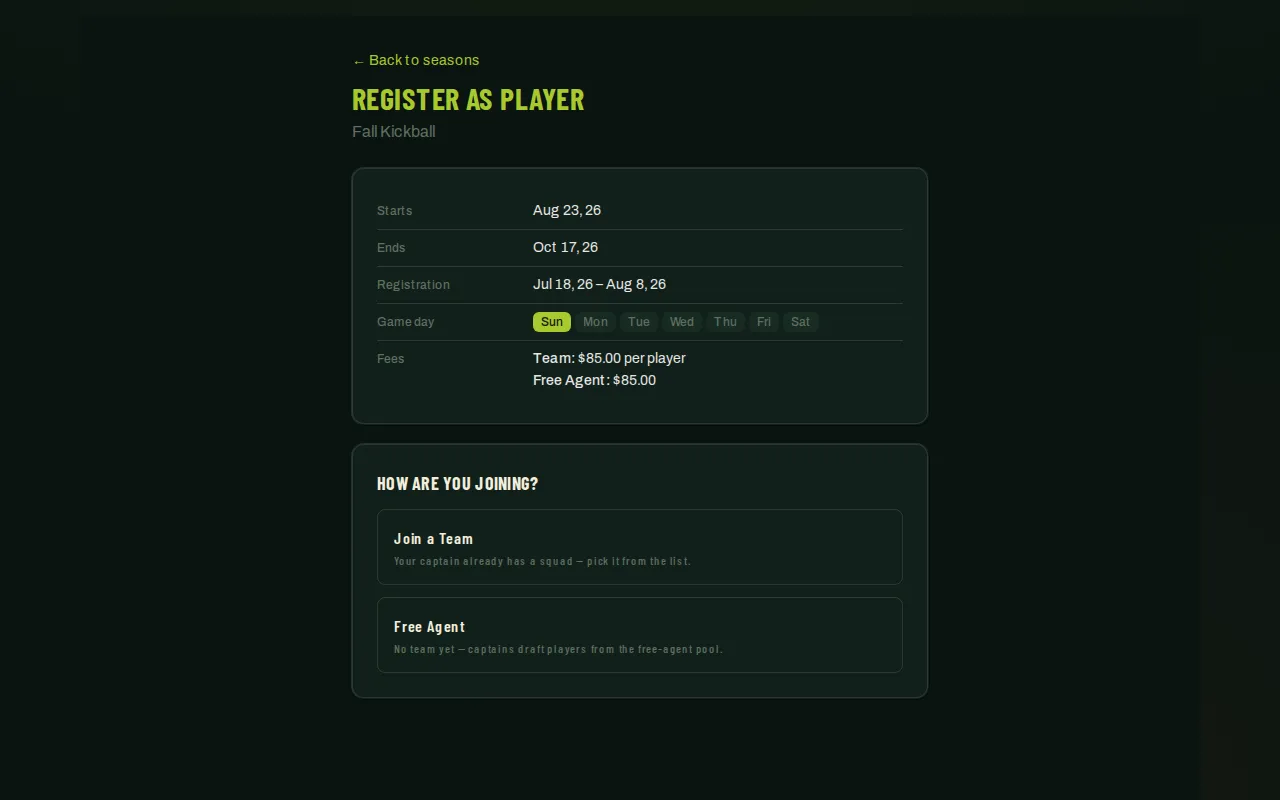
- On the player form, choose how you’re joining: Join a Team if your captain already registered your team, or Free Agent if you don’t have a team yet. As a free agent you’ll later get draft offers from captains that you accept or decline — see Join your team — and you can name a friend here you’d like to end up on the same team with.
- Enter your email and continue. You’ll get an email with a link to finish setting up — check your inbox (and your spam folder) for it.
- Open the emailed link. If you’re new to League Sage, fill in your name, choose a username and password, complete Your details when the season asks for them (mobile phone, date of birth, emergency contact, shirt size, and how you heard about the league), sign any waivers the league attaches, and answer any league-specific questions (like a jersey size). If you already have an account, you’ll just confirm your details.
- Submit to finish. You land on a confirmation page and are signed in automatically.
Good to know
Section titled “Good to know”- The emailed link exists so nobody can register using someone else’s email address by mistake — clicking it is how you confirm it’s really yours.
- If you’re already signed in, registering skips the email step entirely and takes you straight to the confirmation form, pre-filled from your profile.
- Don’t want to wait for the email? Every registration page — player, team, event, and tournament — also has Continue with Google (and Continue with Apple in the iPhone app; the Android app shows Google). It signs you in, or creates your account on the spot if you don’t have one, and brings you straight back to the same registration.
- Fees shown during registration are informational. Some seasons collect payment online as part of registration; others handle dues separately — check with your league if you’re not sure which.
- Registration links are single-use and expire after about a week. If yours doesn’t work anymore, go back to the registration page and start again, or ask your league admin for a fresh one.
- Some seasons ask for ID verification for age or eligibility reasons. If yours does, you’ll be nudged to complete it from your dashboard after you register — it never blocks your registration itself.