The free agent experience
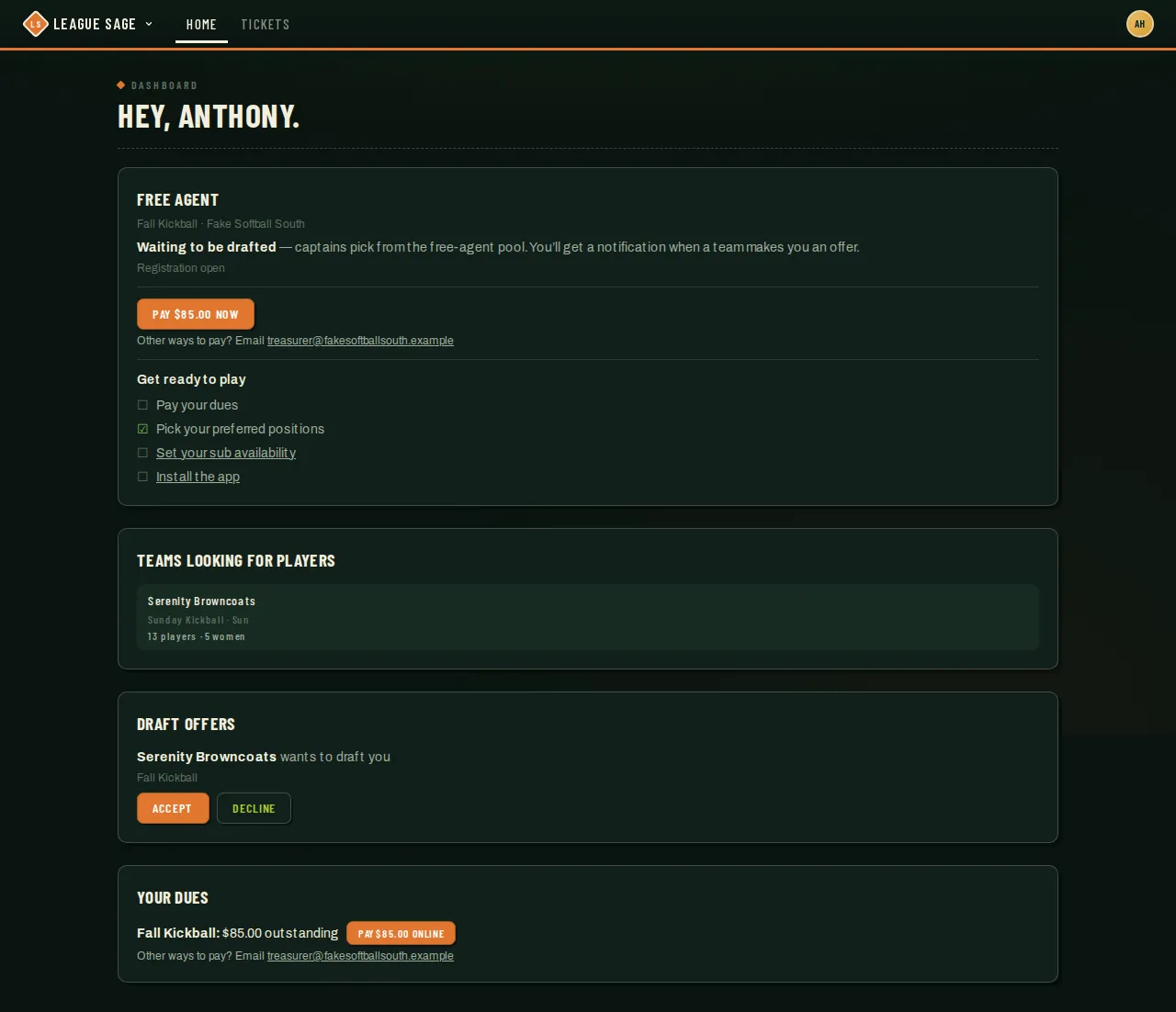
Registering as a free agent doesn’t put anyone straight on a roster — it drops them into a waiting room until a captain offers, an admin assigns, or they find a team themselves. This is what that waiting room looks like, and it’s the player-side mirror of Free agents, buddy pairs & the draft.
Who can do this
Section titled “Who can do this”Reference for organization and league admins — this is the free agent’s own dashboard, walked through here so you can explain what a player is seeing.
- After registering, a free agent lands on a personal status page showing placement, their buddy request, waivers, ID verification, and the current fee balance. Your season registration on the dashboard links back to it.
- When the season allows drafting, draft offers appear on the dashboard. The free agent taps Accept or Decline on each one; a buddy-pair offer makes clear that both people have to accept before either one joins. When drafting is off, the status page explains that the administrator handles placement. If they also have a pending Request to join out to a recruiting team in the same season, Accept is paused instead, with a note to withdraw that request first.
- If a captain has turned on Open to free agents for their team, a Teams looking for players card also appears, listing each recruiting team with a quick roster preview. Tapping one opens Request to join — the request lands with that team’s lead (coach or captain), and the free agent can withdraw it themselves while it’s still pending.
- A declined recruiting request is gentle: the free agent quietly returns to the pool rather than being rejected from the season, and can ask a different team right away.
- Once a free agent is accepted, drafted, or assigned to a team — by any of those paths — their dashboard flips over to that team’s ordinary pre-season view. If their free-agent fee is still unpaid, it doesn’t go away or convert to the team fee — it follows them onto that view as their own Your dues card, same as any other unpaid fee.
Good to know
Section titled “Good to know”- The Teams looking for players card only shows a team while the season is actually in its registration or scheduling window. A captain who turns on Open to free agents outside that window sees “Free agents can see this once the season’s registration window is live” — this is the top cause of “I turned it on and nothing happened.”
- In a season that requires payment before registering, an unpaid free agent is hidden from captains’ draft boards and can’t request to join a recruiting team until their fee is recorded — see Online payments & refunds.
- Buddy pairs form automatically only when both people name each other at registration. If only one side named a friend, the pair can still connect without you: the namer’s registration-status page shows a Copy buddy link button (the link is good for 30 days), and a friend who registers through that link is paired automatically. Otherwise the pair needs an admin’s Link control to connect — see Free agents, buddy pairs & the draft.
- Withdrawing a pending join request doesn’t always land the same way: pulling back a recruiting Request to join (this card) drops the free agent straight back into the pool, free to try another team. A player withdrawing an ordinary team-join request made while first registering instead — see How players register — gets a real exit, not a trip through the free-agent pool.