Entering & overriding scores
Opening one of your assigned games gives you a read-only view of both rosters, the scoreboard as recorded so far, and a form to enter the final score yourself. Because you’re the neutral official, whatever you submit here becomes the confirmed result immediately — it doesn’t wait on either team to agree.

Who can do this
Section titled “Who can do this”Any official currently assigned to that specific game — not declined, and still scoped for its sport. If your role or sport scope changes after you were assigned, your access follows the change immediately.
- From My Officiating, tap a game to open its full view.
- Review the Scoreboard card — whatever’s been recorded inning-by-inning so far (it’s blank if nobody’s scored live yet) — and both teams’ rosters below.
- In the Final Score box, enter each side’s score and submit. A few different situations lead here:
- Nobody’s reported anything yet — your entry becomes the game’s first and only final.
- One team already reported a score — your entry confirms (or corrects) it.
- The two teams reported different scores — you’ll see a note that the game is disputed, and your entry is what resolves it.
- Already entered a final and need to fix it? Reopen the same form — the button reads Update final instead of Record final, and resubmitting overwrites it.
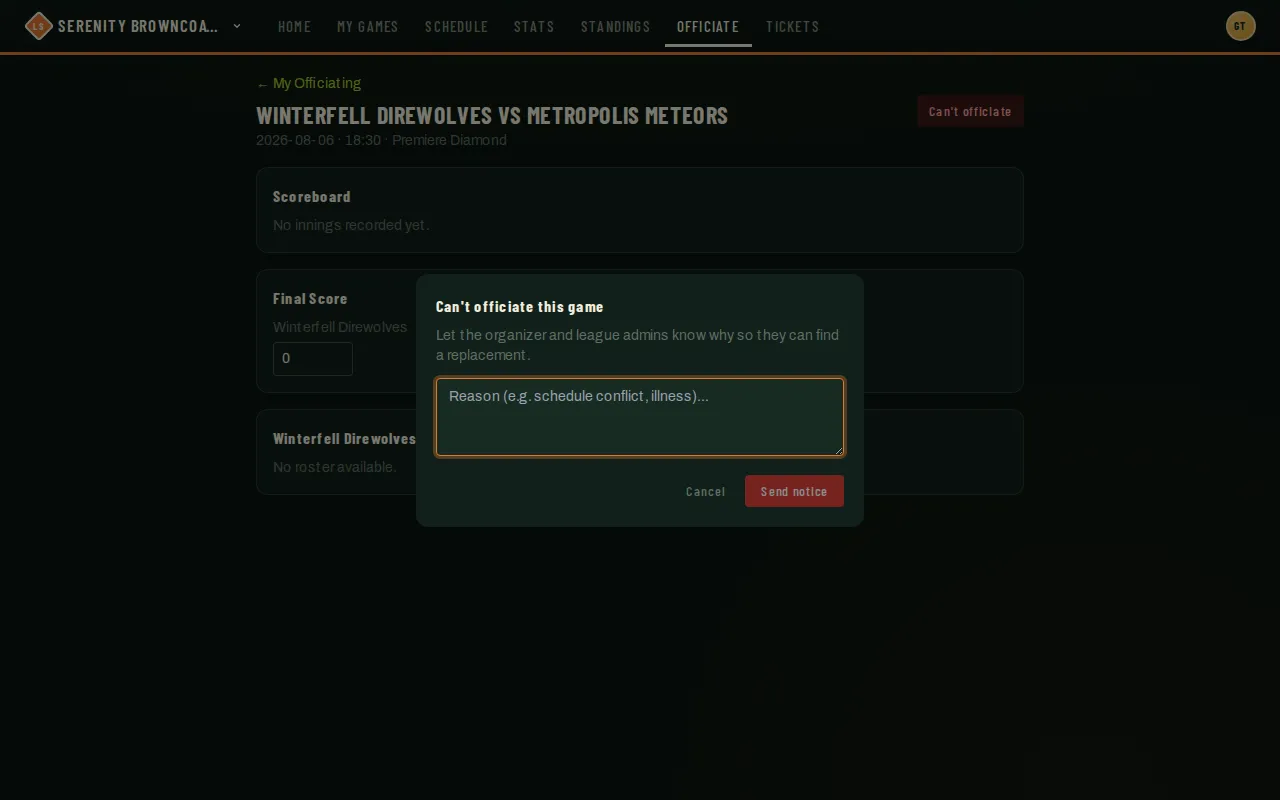
- Can’t make the game, or realize partway through you shouldn’t officiate it (e.g. you know one of the teams too well)? Use Can’t officiate instead of walking away — see below.
Good to know
Section titled “Good to know”- Your entry is a genuine override — it finalizes the game as confirmed even if a team’s own submitted score disagrees with it. That authority is exactly why declining honestly, rather than entering a guess, matters when you’re not confident in the result.
- Declining requires a short reason. It’s sent to the organization’s admins and the game’s league admins right away — and if you were the only official still covering the game, everyone else eligible for that sport gets notified automatically so someone can pick it up. See Claiming open games.
- The score form here is the same regardless of which sport the game is — you’re always entering each side’s final tally, whether that’s runs, games/sets won, or goals.
- A declined assignment shows your reason in place of the score form — there’s nothing further to do on your end once you’ve declined.