Claiming open games
If a decline leaves a game with nobody officiating it — and it hasn’t happened yet — every other official in the organization who’s scoped for that sport gets notified automatically, both in-app and by email. It’s first-come, first-served: whoever claims it first gets the game.
Who can do this
Section titled “Who can do this”Any official in the organization scoped to the game’s sport — with a few exceptions: you’re excluded if you’re rostered on either team playing, or if you’re already playing or officiating another game at that exact same date and time.
- Watch for the notification — an in-app alert (the bell icon) and an email, both with a direct link to the open game.
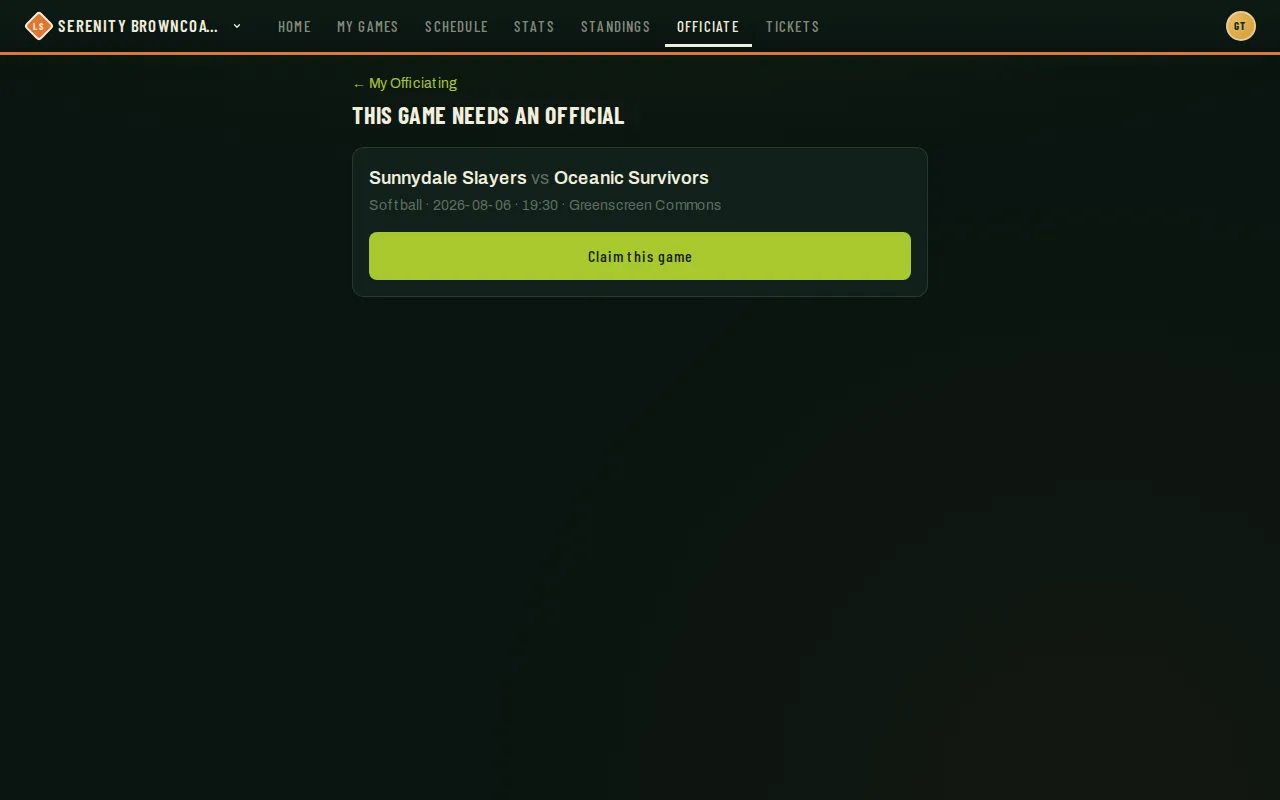
- Opening the link shows the matchup, sport, date/time, and field, with a Claim this game button front and center.
- Tap Claim this game. If you’re still eligible and nobody’s beaten you to it, you’re assigned immediately and taken straight to the full game view — rosters, scoreboard, and the final-score form — see Entering & overriding scores.
- Not eligible for some reason? The button is replaced with a plain-language explanation instead — for example, that you’re on one of the rosters, or you’re tied up with another game at that exact time.
- If someone else claimed it moments before you, you’ll see “Another official already picked this game up” instead of an error — there’s nothing more to do; the notification clears itself once the game is covered.
Good to know
Section titled “Good to know”- This only fires when a decline leaves a game with zero active officials. If several officials were assigned and one declines, the others are still covering it — nobody else gets paged.
- Being busy with something else earlier or later that same day doesn’t block you — only an exact same-time conflict (playing or officiating) does.
- Claiming is race-safe: if two officials tap Claim within moments of each other, only the first one actually gets it, and the second sees the “already covered” message rather than a confusing error.
- An organization admin can also manually re-open the ask for a specific game from their side — useful if a role change quietly left a game unstaffed without anyone declining it.
- This demo organization doesn’t have a live broadcast in progress to show here, so the screenshot above was captured by opening a genuinely unstaffed game directly — the screen looks identical whether you arrive from a broadcast email or by navigating there yourself.
- Open-game notices arrive as notifications on your phone or browser first — you’ll only get an email too if you don’t have notifications turned on anywhere.