Print lineups & share stats
Printing in League Sage doesn’t use your browser’s print button on the live game page — that page is too dynamic for a browser to print cleanly (notably, it silently does nothing on an iPhone). Instead, every printable view has its own dedicated, lightweight page built just to print well.
Who can do this
Section titled “Who can do this”Coaches and captains print lineups and the roster matrix. Reading a shared stats or schedule link needs no account at all — that’s the point of those links.
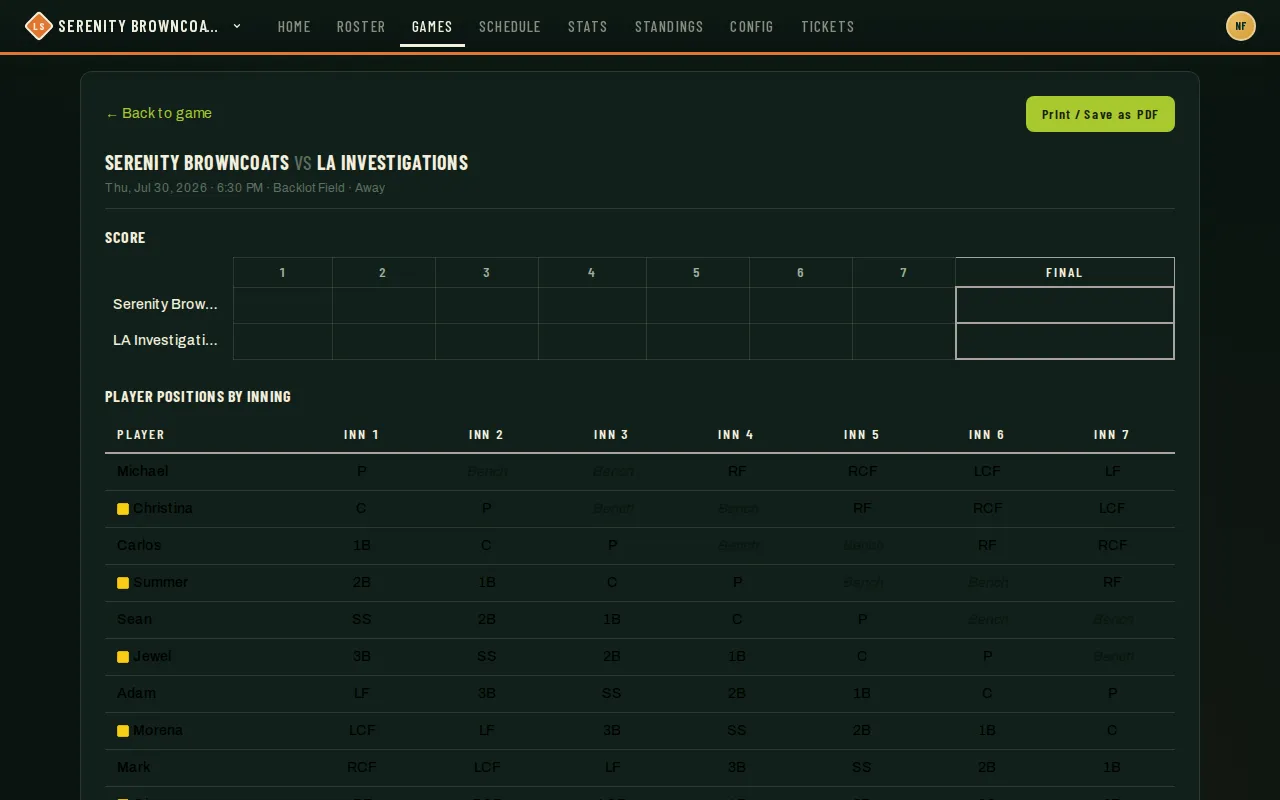
- From a game page, click Print. It opens a dedicated print view with the batting order, the fielding-by-inning grid, and any rule warnings from when the lineup was generated — laid out for landscape paper and always scaled to fit on one page.
- Click Print / Save as PDF on that page to send it to a printer or save a PDF for the dugout binder. In the iPhone app it makes a PDF and opens the share sheet: choose Print for an AirPrint printer, Save to Files, or your printer’s own app — handy for a portable thermal printer that imports PDFs from Files. In the Android app the same button opens Android’s print dialog — pick a printer or Save as PDF.
- From Roster, Print Matrix opens a similar dedicated page: every player against every position, useful for laying out preferences at tryouts.
- If you edited the lineup after your last save, the Print link warns you first — the printout always reflects the last saved version, not whatever’s on your screen unsaved.
Good to know
Section titled “Good to know”- In the iPhone app, printing needs the latest version of the app. An older version shows a message asking you to update instead of printing. The Android app has no version to update — it always shows the live site.
- Sharing a stats snapshot — a read-only, no-login link to a frozen view of your organization’s stats page — is something your league or org admin sets up from their admin stats view, not something a coach does directly. If a captain in another league sends you a stats link, that’s where it came from; it expires automatically after about 90 days.
- Sharing a season’s schedule the same no-login way is also an admin action, from the season’s admin page — useful for a co-organizer who needs to see the schedule without a full account.
- Both kinds of share links are read-only snapshots or live-but-revocable views — nobody can edit anything through one, and an admin can turn a schedule link off at any time.
- If you only need a coach or teammate to see the live lineup itself (not a printout), that’s the public/private toggle right above the batting order on the game page — see Build & activate lineups — not a share link at all.