Manage registrations & assign players
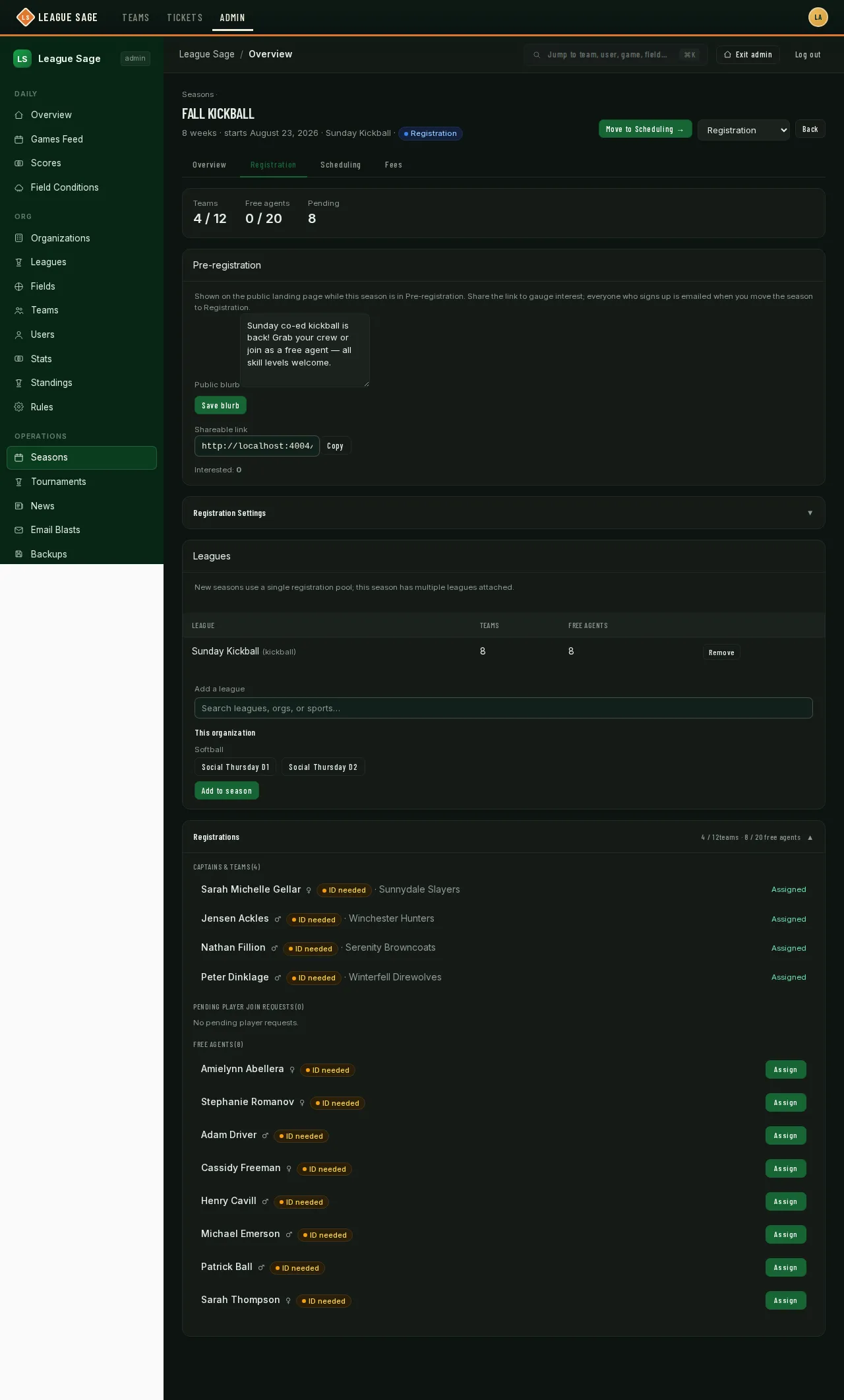
Every captain and player who self-registers for a season lands in one list on that season’s page, grouped into teams, assigned players, pending join requests, and free agents. This is where you keep an eye on registration and step in when a free agent needs a team.
Who can do this
Section titled “Who can do this”Organization admins, and league admins for teams and registrants in their own league(s).
- Open the season and go to the Registration tab. Once a season is in the Registration stage, this list opens automatically.
- Captains & Teams lists everyone who registered a new team — they’re already assigned the moment they finish registering, so there’s nothing for you to do here unless something needs correcting.
- Assigned Players lists approved team players, including players with no fee or a fee fully covered by discounts or credit. An unpaid player has an Unpaid chip and a Mark fee received button. Drafted or directly assigned free agents stay under Free Agents instead.
- Pending Player Join Requests shows players asking to join a specific existing team. The team’s coach or captain normally approves or declines, but you can use Approve or Deny here too. When the season has both Enable online payments and Require payment to register enabled, Approve stays disabled while the player owes a registration fee. They can pay online, or you can use Mark fee received after collecting payment outside the app. A fee fully covered by discounts or account credit needs no payment. Deny remains available.
- Free Agents lists everyone who registered without picking a team. Click Assign next to a name, pick a team from the dropdown, and they’re placed immediately — this works regardless of whether the season has drafting turned on, and it overrides anything already in motion for that person (see Free agents, buddy pairs & the draft for how that interacts with offers).
- Registrations with a fee still to pay show a red Unpaid chip and Mark fee received button, including when the charge consists only of a processing fee. Use the button once you’ve collected payment outside the app (cash, check, etc.). Fully covered or already paid fees don’t show these controls. The season’s ledger tracks each player’s fee — see Online payments & refunds.
- If your season requires ID verification, each name also carries a green or amber chip showing whether that person is verified yet — see ID verification.
Bulk assignment and row menu
Section titled “Bulk assignment and row menu”Each registration row includes a ⋯ menu with options:
- Mark fee received — toggle the fee as paid after collecting payment offline
- View team invoice — for captain registrations billed to their team
- Unlink pair — if the person is half of a buddy pair, break the link and return their partner to single free-agent status
To assign multiple free agents at once, check the boxes next to their names. A sticky bar appears at the bottom with a Team dropdown (free-agent-eligible teams only) and an Assign button. When rows are selected, the button assigns all of them to the chosen team in one action. If one person in your selection is paired with someone not selected, the UI warns you and the Assign button is disabled. Check Acknowledge that I’m breaking these buddy pairs to confirm you understand and unlock the action. Their partner stays in the pool as a single free agent, available for future assignment.
The registration-list header shows (N placed) — a running count of assigned registrations in the season across all teams.
Adding someone from another organization
Section titled “Adding someone from another organization”When you add an existing user from the admin Users or Teams screens, someone outside the destination team’s organization must approve joining. An Approval required dialog offers Send Email and Cancel. Send Email uses the address on file without showing it to you; the user joins only after signing in and accepting the invitation. Cancel leaves the roster unchanged.
Users already in the organization, including registered free agents, can still be added directly. Site admins are exempt from the invitation requirement.
Good to know
Section titled “Good to know”- The team/free-agent counts at the top of the list count everyone pending or already placed, matching the caps you set on the Registration Window & Caps card.
- Assigning a free agent here is instant and doesn’t ask the player to confirm anything — it’s meant for administrative cleanup, not the everyday way teams pick up free agents (that’s the draft, covered separately).
- Mark fee received and Unpaid reflect the fee after processing charges, registration-time early-bird discounts, discount codes, and applied account credit. They remain available when online payment is optional or disabled, so you can still collect cash. The approval requirement is a separate season setting.
Player details and exports
Section titled “Player details and exports”Choose Details on a registration to see Current information, including the current emergency contact, phone number, and shirt size for this season. Contact and season-update timestamps show when those values were saved. At registration · original submission keeps the information originally supplied, even after a player corrects it.
Use Details missing to find active registrations that still need information, including captains and older registrations. Players complete it from their own registration-status page. Captains provide only their own details.
Desktop Export CSV and mobile Export registrations download current information and the original submission in separately labeled columns. Use the current emergency-contact columns for an up-to-date contact sheet. Missing historical values remain blank.
Related
Section titled “Related”- Free agents, buddy pairs & the draft
- Registration settings, fees & early-bird
- ID verification
- How players register
- The free agent experience
- Waitlists
Registration progress and buddy requests
Section titled “Registration progress and buddy requests”The registration summary shows Free agents registered separately from the number placed. Filter the registration list by placement, team requests, outstanding fees, missing waivers, or ID verification to find unfinished work. Players with no fee are still included.
Assigning one person out of a linked buddy pair removes the link and leaves the other player in the pool. Desktop and mobile assignment controls ask you to acknowledge this before choosing a team. To preserve a request, review both players before making a placement decision.