Redeeming a voucher
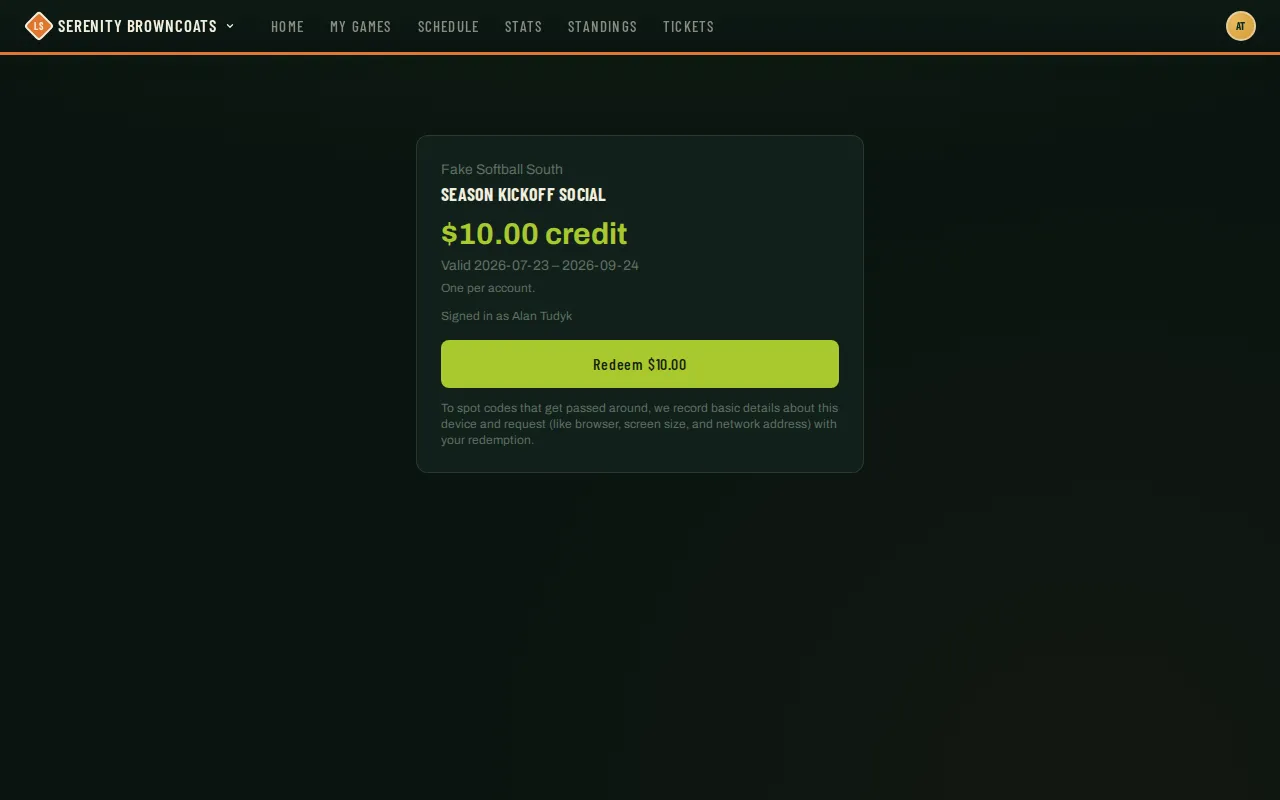
Some organizations hand out printable QR vouchers at events, socials, or sponsor locations — scan one, tap Redeem, and a dollar credit lands on your account. It’s applied automatically the next time you register for one of that organization’s seasons; there’s nothing to enter or redeem at checkout.
Who can do this
Section titled “Who can do this”Anyone with an account. If you’re not signed in when you scan, you’ll be sent to sign in (or create an account) first, and brought right back to the voucher afterward.
- Scan the QR code with your phone’s camera app — it opens straight to the voucher page in your browser, no separate app needed.
- If you’re not already signed in, you’ll land on the sign-in page first. Sign in (or create an account) and you’ll be returned to the same voucher automatically.
- The voucher page shows the credit amount, which organization it’s from, and how long it’s valid.
- Tap Redeem. You’ll see a confirmation with the credit amount and your new running balance for that organization.
- That’s it — nothing more to do right now. The credit sits on your account until you register for a season with that organization, at which point it’s applied automatically.
Where the credit shows up
Section titled “Where the credit shows up”Your running balance and full history — every voucher you’ve redeemed, every registration it’s gone toward — live on your Profile page, under a Credits section (it only appears once you’ve redeemed at least one voucher):
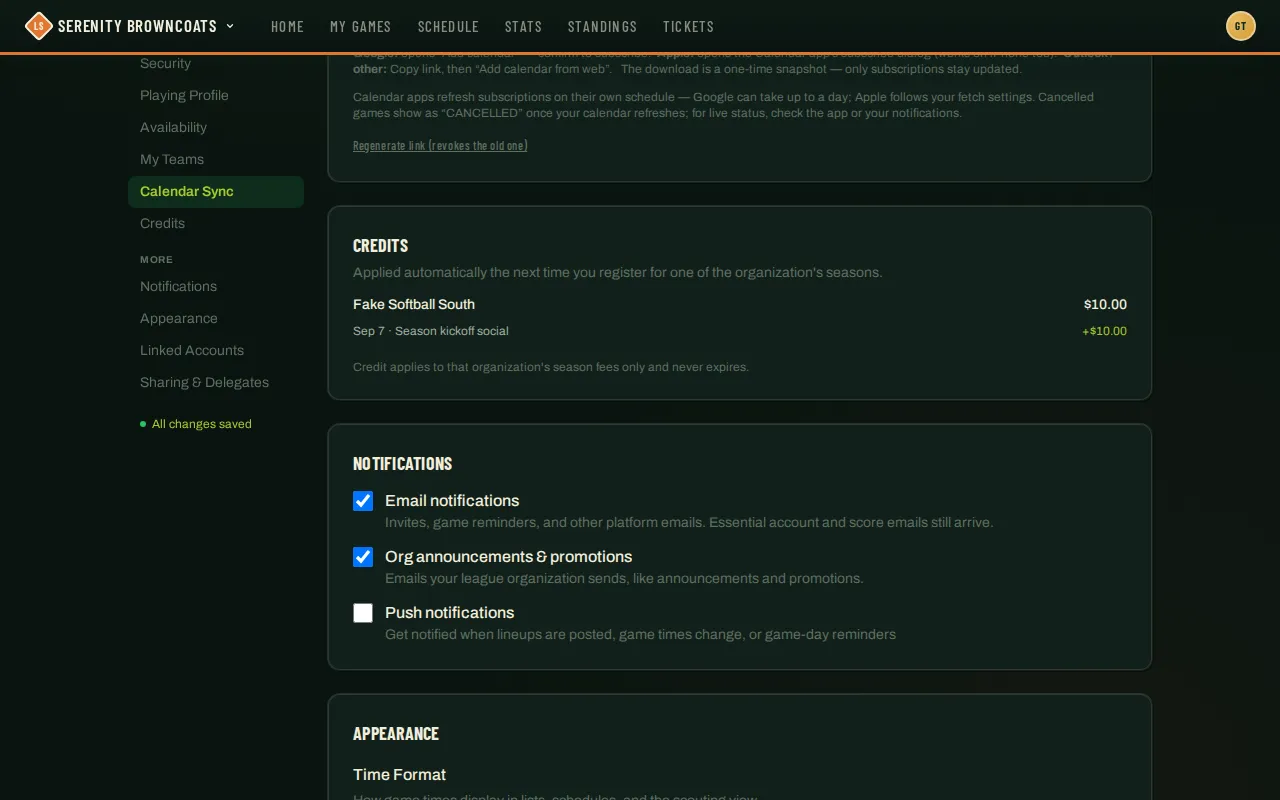
You’ll also see a “Credit applied” line right on the registration form itself, once you have a balance with that organization — it comes off your total automatically, and if it covers the whole fee, the button reads “Register — nothing due.”
Good to know
Section titled “Good to know”- One redemption per voucher, per account — scanning the same voucher twice won’t get you a second credit.
- Basic details about your device and request are recorded with the redemption (things like your browser, screen size and network address — the page says so right under the button). That’s what lets admins catch a code that got screenshotted and passed along to someone who wasn’t there.
- If a voucher hasn’t opened yet, has already closed, or has hit its redemption limit, the page tells you exactly that instead of a generic error.
- Credit never expires and only applies to that one organization’s season registration fees — it doesn’t carry over to a different organization, an org event, or a tournament.
- If an admin revokes a redemption (say, because several accounts redeemed from one phone), the credit comes back off your balance — you’ll see it reflected in your Credits history as a “revoked by admin” line.