Review and moderate conversations
Coaches and captains message each other team-to-team from Messages (see Message the other team), and every team also has its own team chat room for its coaches, captains and players. As an organization admin you can read every one of those conversations in your organization — this is disclosed to the participants right in the thread — and remove a message if something needs moderating.
Who can do this
Section titled “Who can do this”Site admins and organization admins of the conversation’s organization. League admins don’t get this view.
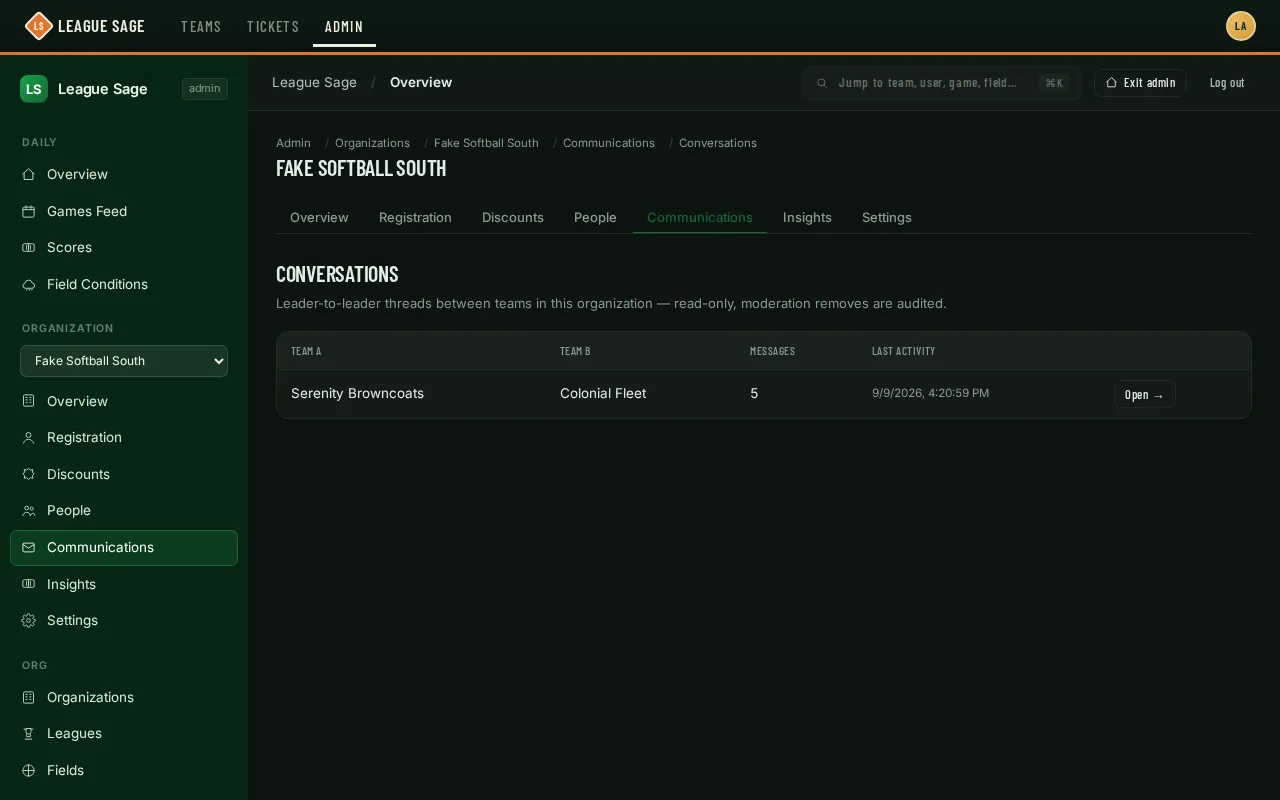
- Open your organization’s admin page, go to the Communications tab, then Conversations.
- The table lists every conversation in your organization — a Kind column tells a Team chat room (one team) from a Team ↔ Team leader thread (two teams) — with how many messages it holds and when it last had activity. Click Open → on any row.
- The thread opens read-only — you can scroll the full history, but there’s no composer here; admins never post into a leader conversation. Replies are shown indented under the message they answer, and a Pinned card at the top lists what the team’s leaders pinned — you can Unpin from there, but never pin.
- If a message needs to come down, use its Remove message action and confirm. It’s replaced with a “message removed” placeholder for everyone in the thread; the removal is logged.
Good to know
Section titled “Good to know”- Participants always see the notice that league admins can review the thread — this isn’t a hidden or silent view.
- Removing a message doesn’t remove the whole conversation, and it doesn’t stop the two teams from continuing to talk.
- Removing a message also clears its text from quoted reply previews in participants’ open conversations.
- A thread only exists once a coach or captain has actually started it — an eligible team pair with no messages yet won’t show up here.
- Admins can’t start a conversation or post into one; moderation is read + remove only.
- Turning messaging off for a season doesn’t hide anything from you. Team messaging is a per-season switch (Season Operations card — see Registration settings) and it’s off until you turn it on. With it off, coaches can’t start or post in conversations, but every existing thread stays fully readable and removable here.